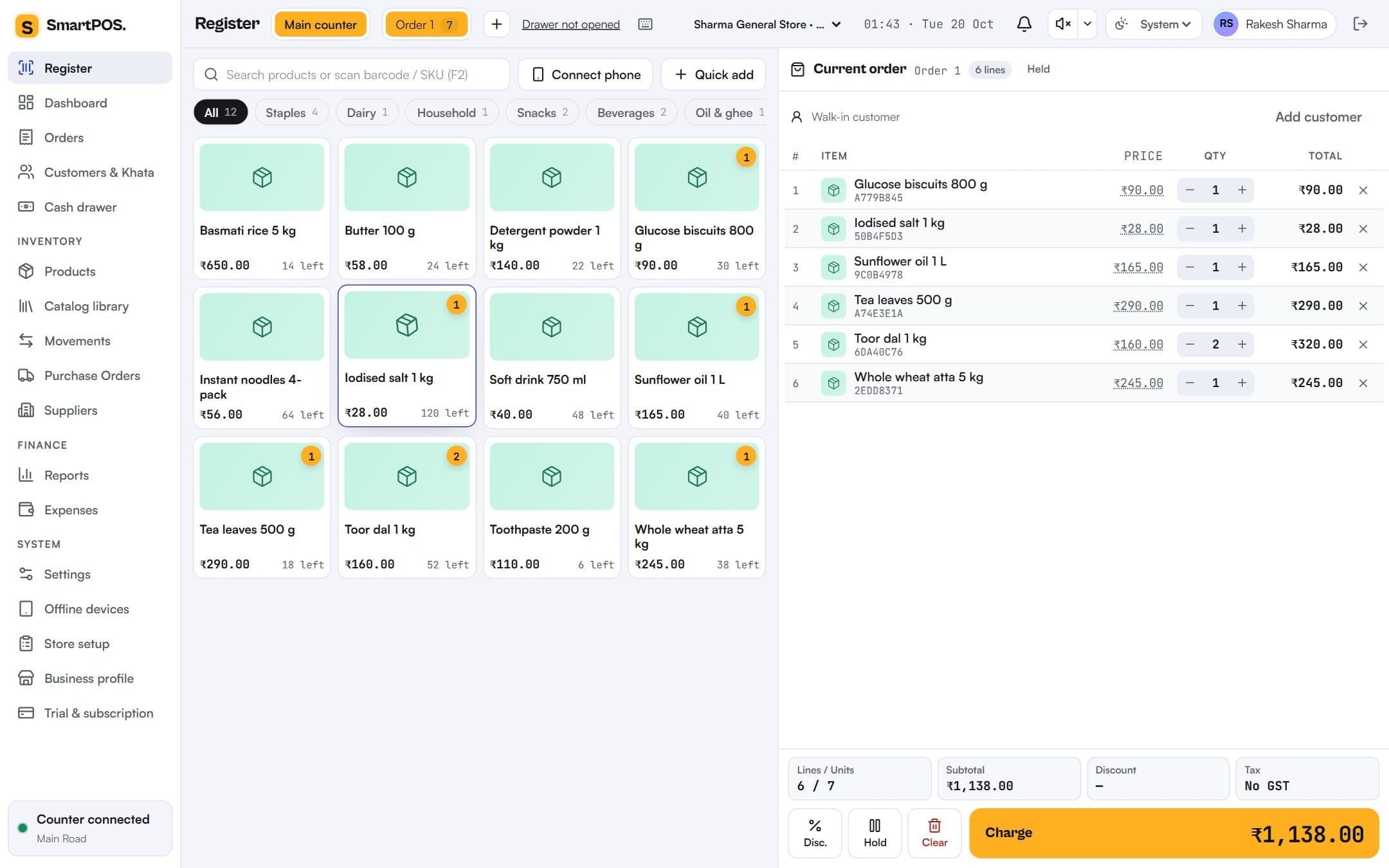
KOT by station, printed the moment it is sent
Tandoor, bar and kitchen each get their ticket on their own printer, and the kitchen display rings. Reprints are counted and audited, so duplicate KOTs cannot hide unbilled food.
One app for cafés, restaurants, counters, cloud kitchens and stores: tables and KOTs, a kitchen display, a fast shop register, UPI QR that marks itself paid, and day-end in one screen — on the tablet, printer and phones you already have.
No card neededNo setup feeWorks offlineMade for India
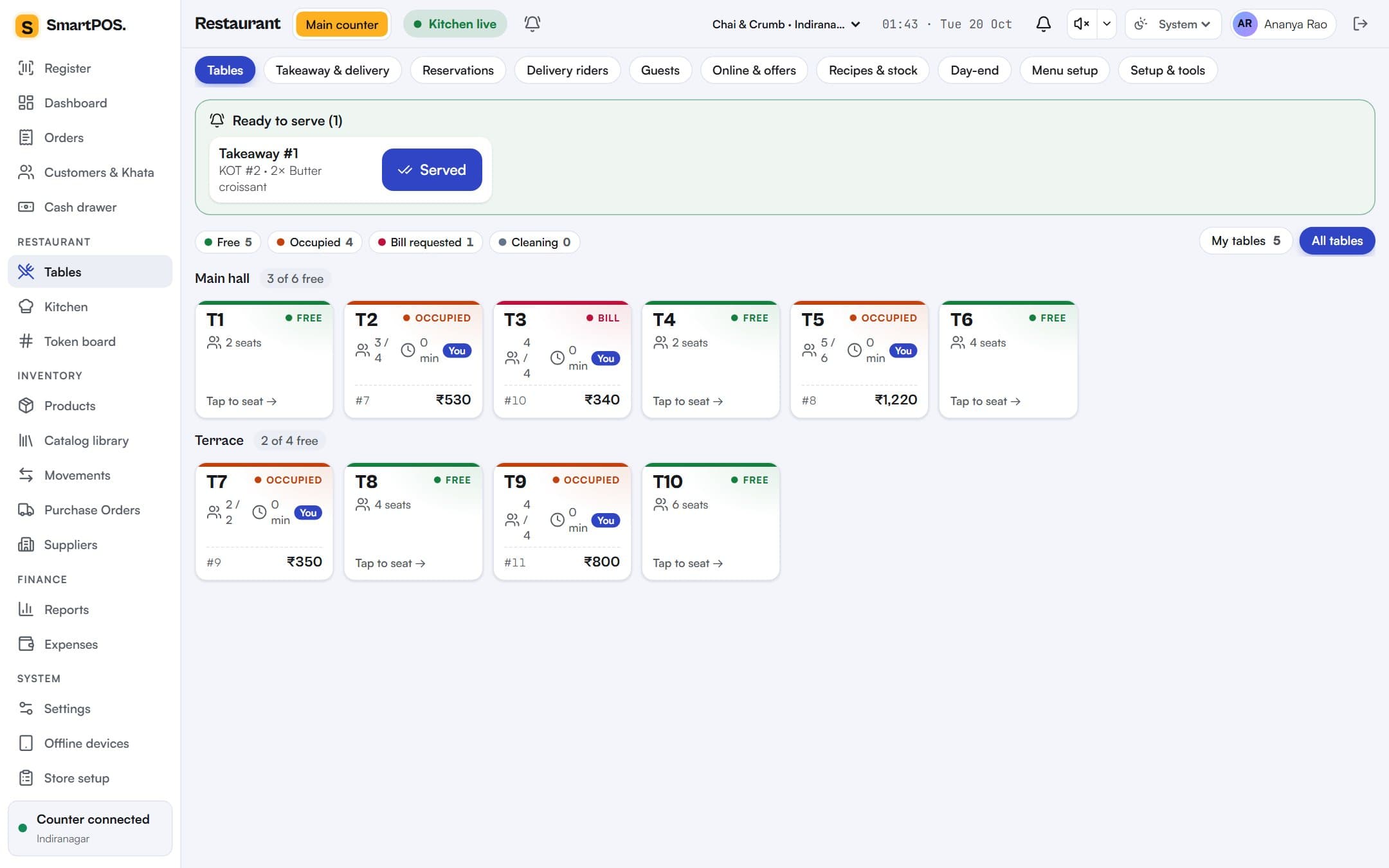
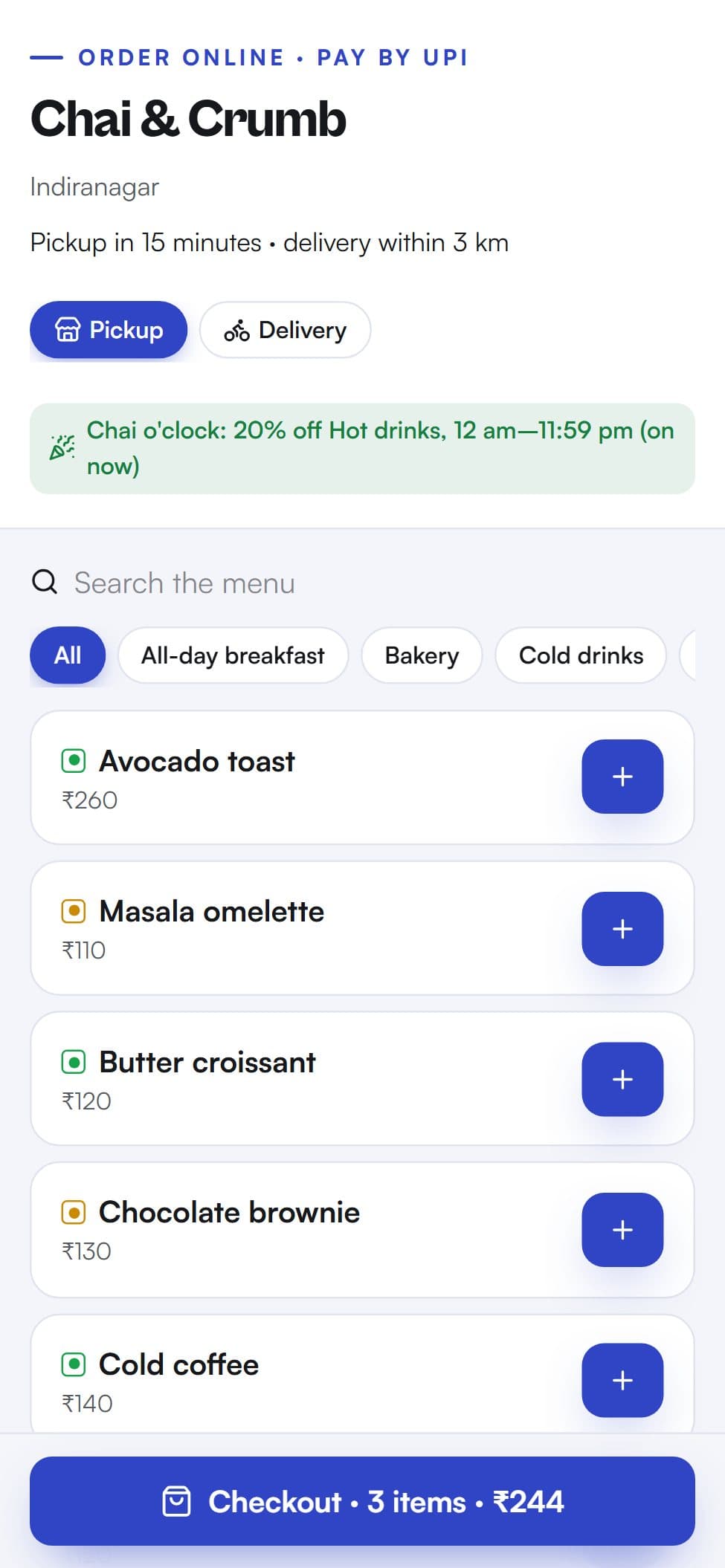
Every picture on this page is the actual product, taken from a demo café and a demo store.
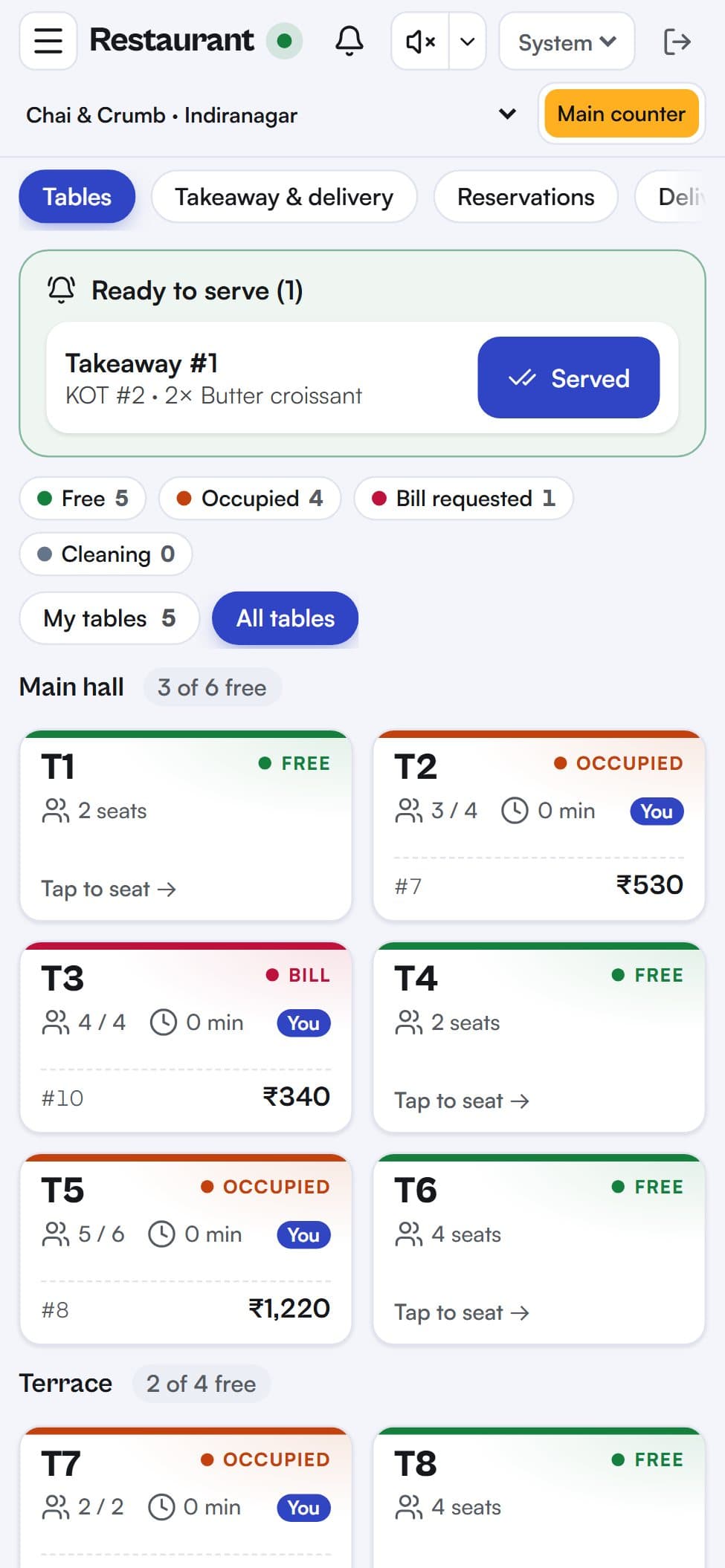
Seat guests, add dishes in two taps, send KOTs by station and settle by UPI, card or cash.
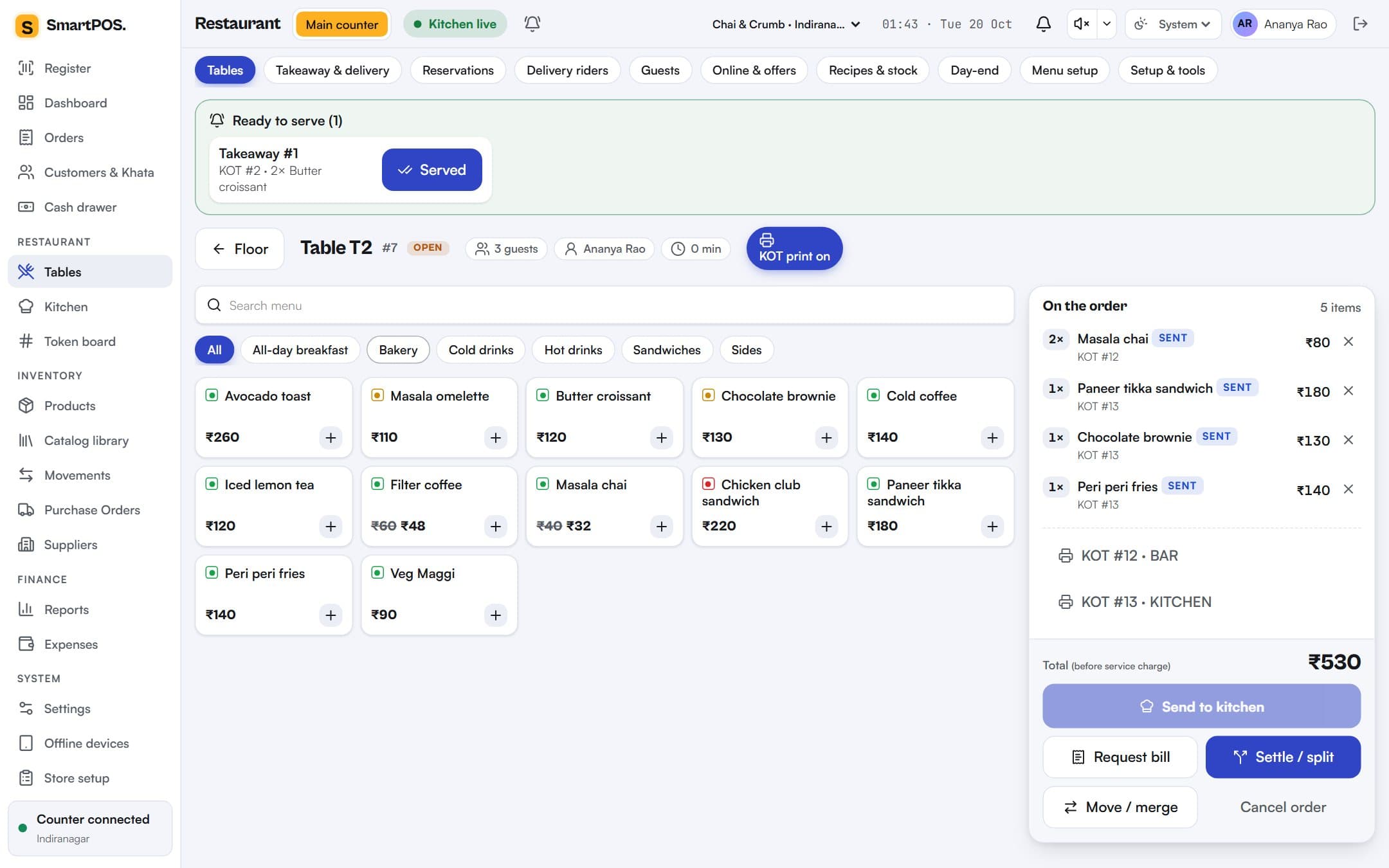
Scan or tap products, see stock left, hold orders and charge in seconds, with Khata credit for regulars.
New, cooking and ready columns per station; tap to move a ticket; the counter hears when food is ready.
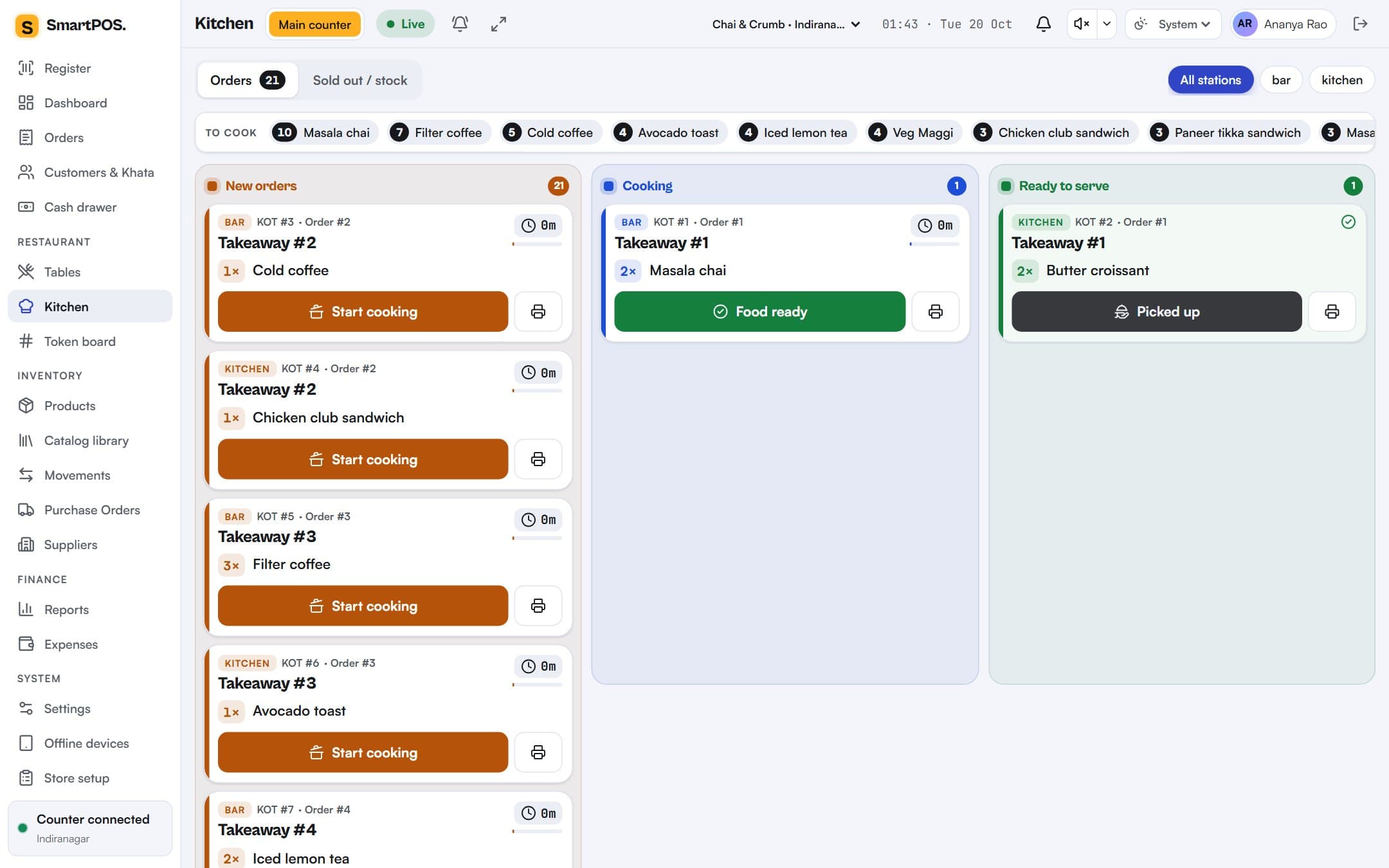
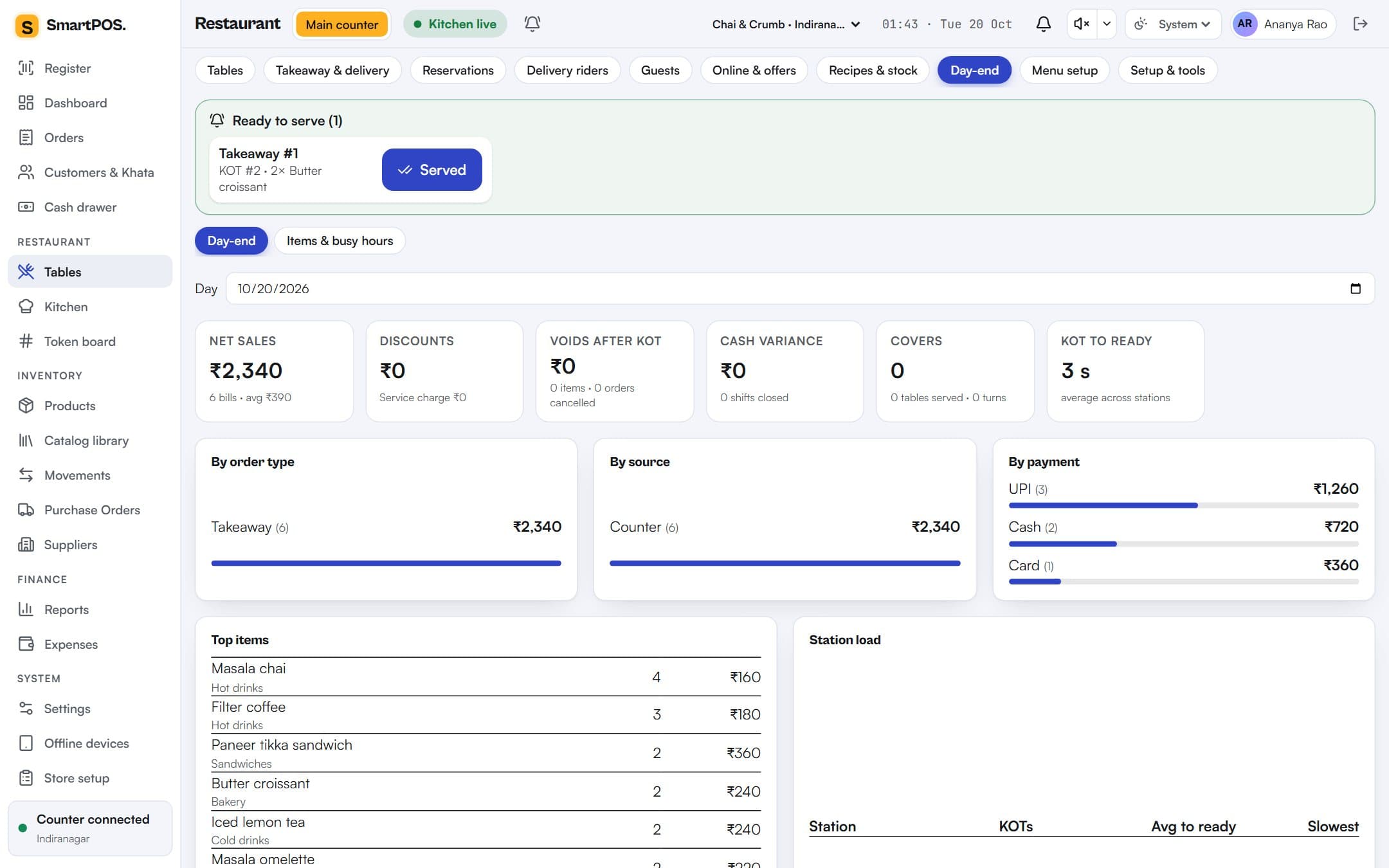
Sales by order type, source and payment, voids with reasons, cash variance and top dishes.
Live table status with waiting time and totals, waiters on their own phones, KOTs printed at the right station, and split bills by item or equally.
Search or scan, tap to add, see stock left on every product, hold an order for the next customer and charge in seconds — with Khata for your regulars.
New, cooking and ready columns per station, with a ring for new tickets, a sold-out switch for the cook, and a ready tray at the counter.
Guests order pickup or delivery from your link or QR and pay you directly by UPI. You confirm the payment and the order goes straight to the kitchen.
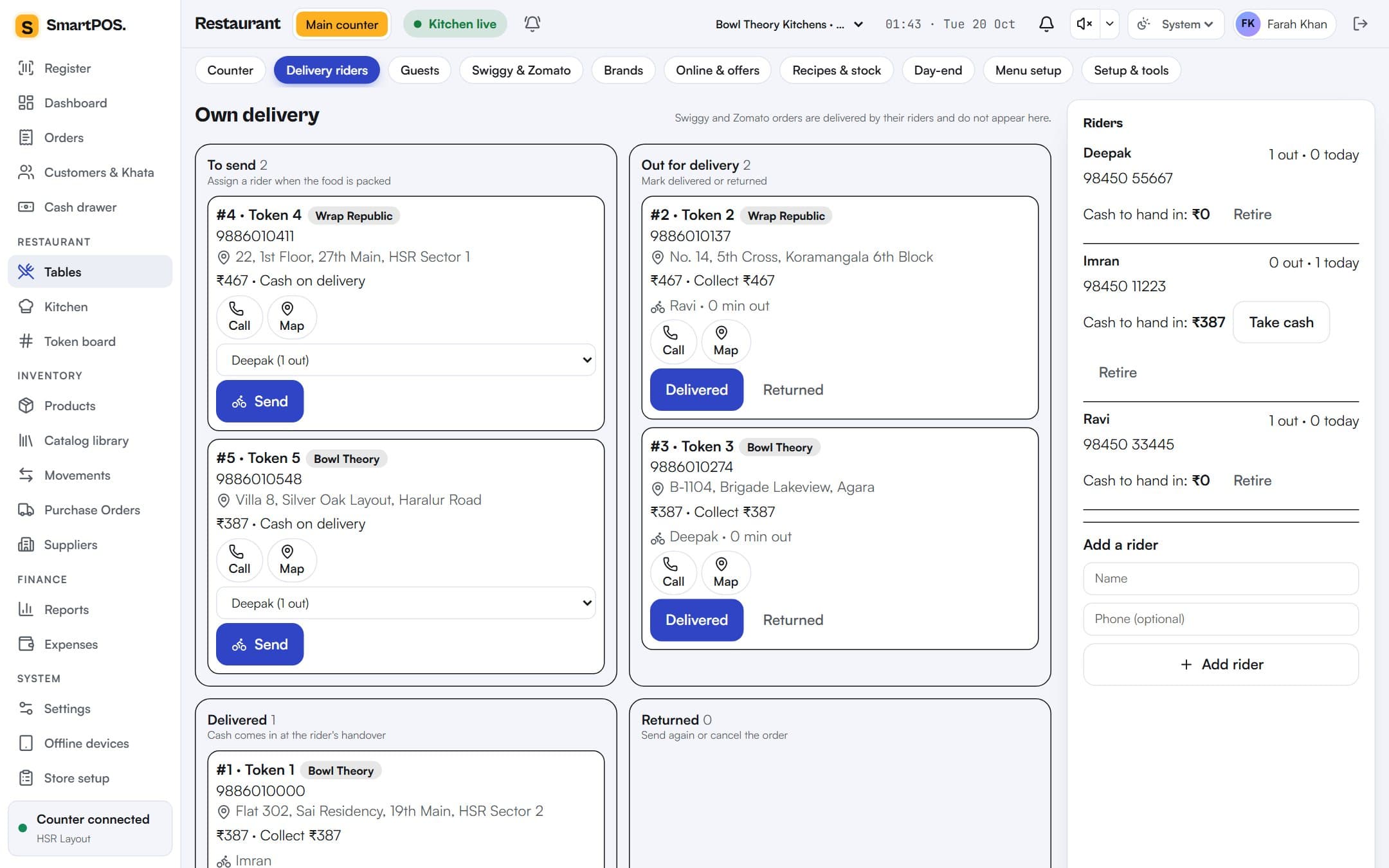
Tandoor, bar and kitchen each get their ticket on their own printer, and the kitchen display rings. Reprints are counted and audited, so duplicate KOTs cannot hide unbilled food.
A QR for the exact amount; the payment marks the bill paid.
Seat, order and request the bill. Sign in with a code or a 4-digit PIN.
Pay first, get a token, watch it flip to Ready on the TV.
Key orders in with the platform ID, then see commission and what each platform still owes you.
Item-wise, 5% restaurant or composition wording, FSSAI number on every restaurant bill, and Tally export for your accountant.
Sales by type, source and payment, voids with reasons and who, cash variance, covers and table turns, kitchen times.
Orders and KOTs continue on a registered device and sync later.
Points on every bill, a guest list, and one-tap ratings after the meal.
Voids after KOT and big discounts need a manager's PIN.
Any 58/80 mm printer. Any browser. No lock-in hardware.
Ingredients come off stock with each dish sold; see food cost per dish.
Add outlets with a copied menu and compare them in one report.
Café, Counter, Cloud Kitchen or Store. 14 days free, no card.
Excel or your old POS's export, with categories, prices and veg marks.
Print a test bill and a test KOT from the counter browser.
Hand phones to waiters; the go-live checklist ticks itself off.
Tables, waiters, KOT by station, QR menu and split bills.
Café POS →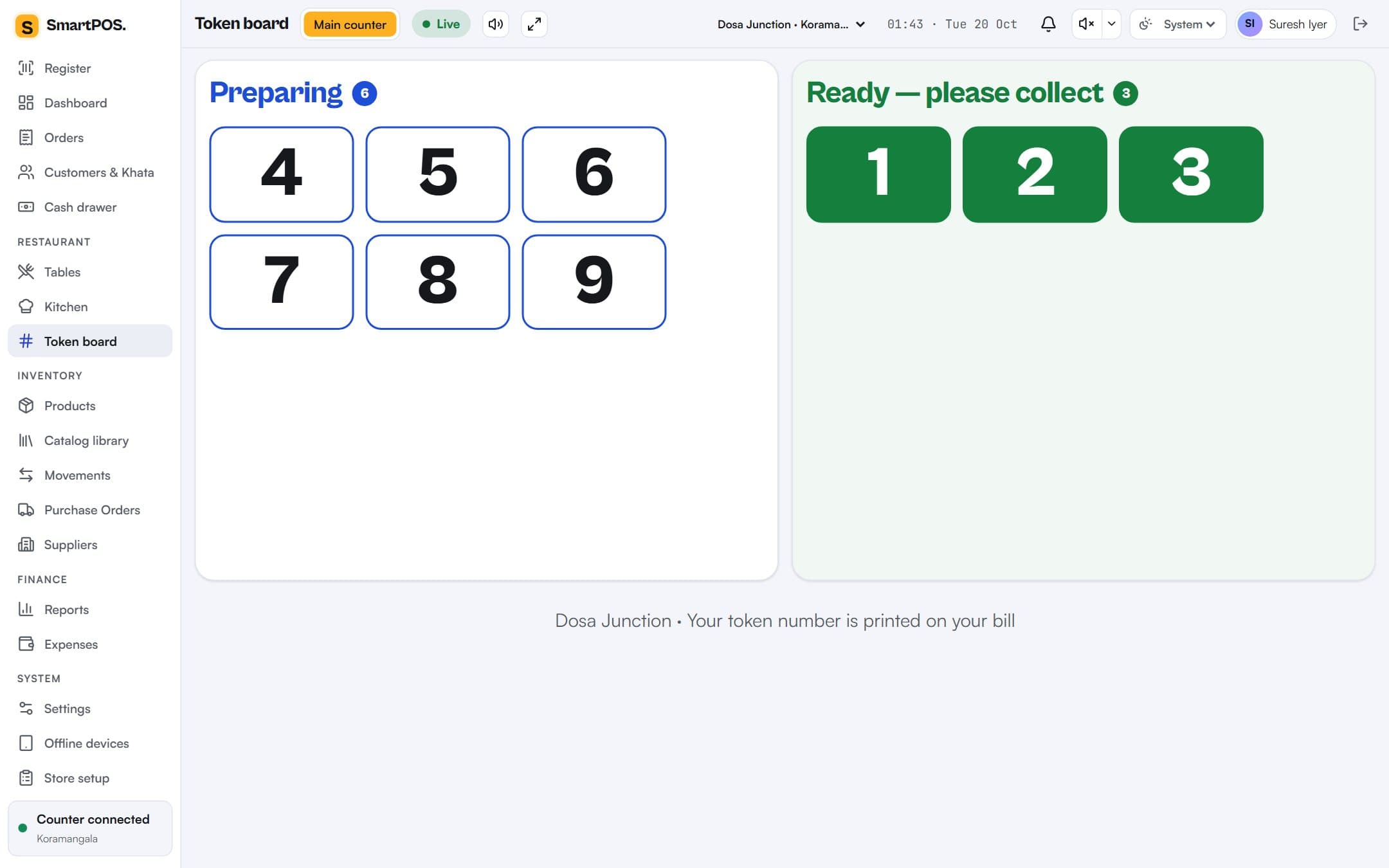
Pay-first billing in seconds, tokens and a token board.
Counter POS →Several brands, own riders, Swiggy and Zomato payouts.
Cloud kitchen POS →Fast register, stock, purchase orders and Khata credit.
Store billing →No. SmartPOS runs in the browser on an Android tablet, laptop or phone and prints to any 58 or 80 mm printer the device can already print to. Waiters use their own phones.
Yes. Restaurants get tables, KOTs and a kitchen display; shops get a fast register with barcode search, stock, purchase orders and Khata credit. Both bill with UPI, card and cash.
A counter device registered for offline use keeps taking orders, printing KOTs and settling bills. Everything syncs, in order, when the connection returns.
Yes. Import an Excel/CSV file, including an export from your current POS; columns are matched automatically and you can check them before importing.
Bills follow the scheme you choose — item-wise rates, 5% restaurant without input credit, or composition — with the FSSAI number on restaurant bills. Day sales export to Tally.
You get 14 days of the full plan you pick. No card is needed to start. Choose monthly or yearly billing when you are ready; yearly gives two months free.
Import your menu, print a test KOT and take your first order today. 14 days free, no card, no setup fee.